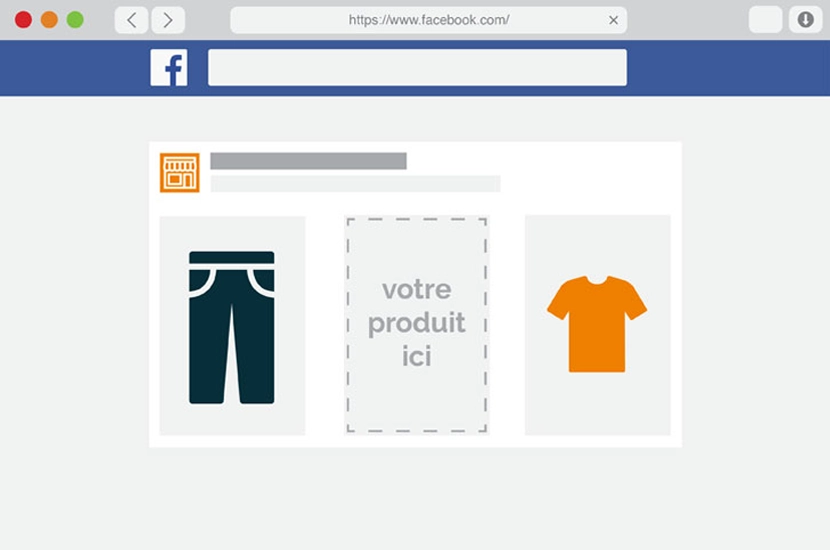
Advantage+ Catalog Ads (formerly Dynamic Product Ads or DPA) are an automated advertising solution integrated into Meta’s Advantage+ suite. They use machine learning to automatically deliver the most relevant products from your e-commerce catalog to the audiences most likely to buy, whether through retargeting or pure acquisition.
In this comprehensive, updated guide, the experts at our Facebook Ads agency have merged our best resources for mastering this new tool in 2026:
- What are the concrete differences between the old DPA format and Advantage+?
- How do you configure your catalog to feed the algorithm correctly?
- An express 5-step tutorial for launching an Advantage+ catalog campaign
- The 10 essential optimization tips to guarantee a high ROAS in 2026.
Ready to rediscover a powerful e-commerce lever? Let’s get started.
DPA vs Advantage+: comparing developments
While the engine remains the same (displaying products from your feed), the driver has changed. In the past, you were the driver. Today, it’s AI.
Here is a table summarizing the major changes:
| Fonctionnalité | Anciennes "Dynamic Product Ads" (DPA) | Nouvelles "Publicités Advantage+ pour le catalogue" |
| Philosophie | Micro-gestion manuelle | Automatisation par Machine Learning |
| Ciblage | Basé sur des critères stricts (Âge, Intérêts, Lookalike) | Ciblage Large (Broad) : l'IA trouve seule l'audience |
| Création | Images statiques souvent carrées (1:1) | Multi-formats : adaptation automatique (recadrage, 9:16 pour Reels) |
| Optimisation | Test A/B manuel des visuels | Dynamic Creative : l'IA choisit la meilleure combinaison (image/titre/desc) par utilisateur |
| Objectif | Objectif spécifique "Vente Catalogue" | Objectif global "Ventes" (activation optionnelle du catalogue) |
| Acquisition | Audiences "Lookalike" (Similaires) | Advantage+ Audience (l'IA analyse les signaux du Pixel/CAPI) |
| Placements | Sélection manuelle (ex: "Fil Facebook uniquement") | Placements Advantage+ (diffusion partout où la conversion est la moins chère) |
3 strategic shifts to integrate
Beyond the technical terms, here are the three fundamental ruptures that you must integrate:
- The end of restrictive targeting
With the old DPAs, you spent time defining who should see your products (“Women, 25-35, yoga-lovers”). With Advantage+, this is counter-productive. The algorithm analyzes thousands of data points (signals) in real time. If a 50-year-old man shows buying behavior for a yoga mat, Advantage+ will target him, whereas your previous targeting would have excluded him.
The payoff: You get buyers you’d never expect.
- Creative adaptation on the fly
This was the big weakness of DPA: products with white backgrounds were boring and didn’t display well in Story.
Advantage+ features now include automatic retouching options:
- Brightness and contrast adjustment.
- Application of artistic models or frames.
- Dynamic display of information (price, description) or not, depending on what makes the user click.
- The blurred line between Acquisition and Retargeting
Historically, we created a DPA campaign for retargeting (30-day visitors) and another campaign for acquisition (Lookalikes).
Today, although you can still separate the two, Meta encourages the use of Advantage+ Shopping (ASC) campaigns. These “black box” campaigns mix audiences. The AI alone determines the budget to allocate to fetch new customers vs. convert old ones, based on your CPA (Cost Per Acquisition) target.
Technical configuration of the catalog
Launching an Advantage+ campaign for the catalog is no longer just a question of the Ad Manager, but of the upstream data. Here are the 3 pillars of effective configuration.
The catalog: from quantity to quality
Your catalog is no longer just a list of products, it’s the AI’s fuel. If the data is poor, the AI will be blind.
- Action: Go to Commerce Manager.
- Standard 2026: don’t just fill in the mandatory fields (ID, title, price, link, image). Systematically fill in the optional fields: google_product_category (essential for targeting), gender, age_group, material, pattern.
- Images: provide several images per product if possible, the algorithm will choose the best one.
The signal: Pixel + Conversion API (CAPI)
Since iOS 14 and the end of third-party cookies, the Pixel browser alone loses around 15% to 30% of data.
- A must: you need to install theConversions API (CAPI). It creates a direct link between your server (Shopify, Magento, PrestaShop…) and Meta.
- Why? Without CAPI, the algorithm doesn’t “see” all sales. So it can’t learn who’s buying, and your cost per acquisition (CPA) will artificially increase.
Simplified campaign structure
In the Ad Manager :
- Objective: Sales.
- Campaign level: Activate “Catalog”.
- Advertising package: You can choose between a manual configuration or “Advantage+”.
Tip: To get started, choose manual configuration to keep control over budget and product sets, but activate all “Advantage+” options inside (placements, creas).
Tutorial: launch your Advantage+ Catalogue campaign in 5 steps
You no longer need 48 hours to set up a campaign. If your catalog is ready (see the configuration section above), launching the ad takes just a few minutes. Here’s the most direct route to the Ad Manager.
Step 1: Choose your sales objective
Click on the green + Create button. Meta has simplified the objectives. Don’t look for the old “Catalog Sales” specific objective.
- Select the Sales objective.
- Click on Continue.
- Select Manual Sales Campaign (to retain control over specific catalog targeting) or Advantage+ Shopping (for all-automation, but here we focus on the modernized classic catalog method).
Step 2: Activate the catalog at Campaign level
From the first screen (Campaign Level) :
- Scroll down to the Catalog section.
- Activate the “Use catalog” switch.
- Select the right catalog from the drop-down menu if you have more than one.
- Tip: This is also where you can activate Advantage+ Campaign Budget (formerly CBO) to let the AI distribute the budget between your different ad packages.
Step 3: Set up the ad set (audience and product)
Switch to the Ad Set level.
- Product set: Choose “All products” or a specific set (e.g. “Best-Sellers”) you’ve created.
- Budget and Calendar: Define your daily budget.
- Audience: This is where it all changed.
- For retargeting: Check “Find potential prospects…”. (the classic dynamic retargeting option).
- For acquisition: Check “Find potential prospects even if they haven’t interacted…”.
- Location: France (or your area).
- Age/Gender/Interests: Leave everything open! Don’t restrict the Advantage+ algorithm, it will find your customers using catalog data.
Step 4: Automatic investments
Don’t touch manual investments.
- Leave the default option: Advantage Investments+.
- Meta will automatically broadcast your products on Facebook, Instagram, Audience Network and Messenger, focusing on the most profitable formats at the moment (often Reels and Stories).
Step 5: Creative advertising
Go to the Advertising (Ad) level.
- Format: Choose Carousel (the most classic) or Collection (for an immersive mobile experience with a cover image/video).
- Advantage+ creative content: Activate this option. It enables Meta to automatically optimize the profile (display the description or price according to the user).
- Main text: Write catchy text that sells the brand, not just the product. Use dynamic tags (+ button) to automatically insert the product name or price in the title.
- Link: Check that the link goes to the “Product Deep Link” (automatic by default).
Click on “Publish”. You’re done! Your campaign will enter a learning phase. Allow at least 48 to 72 hours for the algorithm to stabilize.
10 expert tips for a high ROAS in 2026
Optimization is no longer based on bids, but on creative and structure.
-
Think “Mobile First”: the 9:16 format is king
Previously, the square format (1:1) was sufficient. Today, a huge share of traffic comes from Reels and Stories.
- Tip: use Meta’s “Smart Crop” tool or import specific vertical format visuals into your catalog. If you broadcast a square image in a Reel, it looks “amateurish” and lowers the click-through rate.
-
Broad Targeting
It’s counter-intuitive for old marketers: don’t target by age or interests.
- The trick: simply select your target country (e.g. France) and leave age and gender open (18-65+). Meta’s AI will take care of the targeting on Facebook by analyzing the signals in your catalog and will find your customers much better than you could manually. Doing restrictive targeting today means limiting the intelligence of the tool.
-
The importance of the Intro Card
In a carousel, the first image is crucial. Don’t just show a white product on a white background.
- The trick: set up a fixed “Introductory Card”. This is a lifestyle image or video that introduces the current brand or offer, placed before the dynamic products. It stops the scroll, while the products trigger the click.
-
Segmentation by “Margin” and not by “Category
Don’t create product sets based on “Shirts” or “Trousers”.
- The trick: create packages based on business performance.
- Set A: Best-sellers (high volume, social proof).
- Set B: High-margin products (maximum profitability).
- Set C: Liquidation (old collections to be disposed of). This allows you to allocate your budgets where it really pays off.
-
Use frames and overlays
A product with a white background lacks contextual information.
- Tip: use the creative tools in the Ad Manager to dynamically add frames.
- Example: A “Free Delivery” or “-20%” banner or brand logo.
- Timing: Activate these frames specifically during Sales or Black Friday.
-
Retargeting vs. Acquisition: the blurred line
These two hearings used to be kept strictly separate.
- Tip: try Advantage+ Shopping (ASC) campaigns. They mix cold and warm audiences. The algorithm decides on its own: “Well, this user already saw the site yesterday, so I’ll show him the basket product” vs. “This user doesn’t know the brand, so I’ll show him the bestseller”. This is often more effective than manual segmentation.
-
Dynamic Creative”: test your texts
Don’t write a single description.
- Tip: give Meta 3 different titles and 2 different descriptions (one short, one long, one focused on price, one on quality). Activate dynamic text optimization. The AI will learn which argument works for which.
-
Exclude recent buyers (Burnout prevention)
There’s nothing more annoying than seeing the ad for the product you’ve just bought.
- Tip: make sure you exclude “Buyers of the last 30 days” from your acquisition campaigns. For loyalty campaigns, wait a reasonable amount of time before offering complementary products.
-
Intelligent cross-selling and up-selling
The catalog does more than just sell the product seen.
- Tip:
- Up-Sell: the customer is looking at a basic model? Show them the superior model with better features.
- Cross-Sell: he bought shoes? Program an “Accessories” catalog campaign (socks, shoe polish) that starts 7 days after the purchase.
-
Keep an eye on Match Quality
In the event manager, there’s a score out of 10 for the quality of your events.
- Tip: aim for a score of at least 8/10. If you fall below this score, it means that the data sent by your site (via the Pixel/CAPI) does not match the Facebook user profiles. Check that you’re sending the hashed email and phone number to the Pixel.
The era of intelligent automation
The switch from Dynamic Product Ads to Advantage+ catalog ads marks a decisive turning point in e-commerce advertising.
While the name change may seem anecdotal, the reality is quite different: we’ve moved from an era of manual micro-management to one of AI-driven automation. For e-tailers, this is excellent news. It means less time spent “tweaking” the advertising tool, and more time devoted to what really counts: the quality of your offer, the richness of your product data and the creativity of your visuals.
In 2026, success no longer depends on your ability to guess the age or interests of your customers. It depends on the quality of the “fuel” (your catalog and CAPI signals) you give to the Meta engine.
Would you like to check whether your catalog is perfectly optimized for Advantage+ or delegate the management of your campaigns to experts? Contact our Social Ads agency for an audit of your advertising account
Finally, to enrich your strategy, remember to vary your formats. For example, the Facebook collection format collection format is particularly well-suited to an immersive mobile experience. It combines video, images and product links to capture attention from the very first seconds. An excellent solution for promoting your products in an impactful visual environment.